Industrial Android Panel PC for HMI & Kiosks
Android touchscreen computers for machine interfaces, factory terminals and self-service equipment. Available in 10.1″–32″ sizes, with Rockchip processors and configurable I/O.
Android Panel PCs, 10.1″–32″
Eagle Touch manufactures Android panel PCs that combine an LCD, capacitive touchscreen and ARM computing board in one unit. The application runs on the panel PC itself, so there is no separate host computer to install.
Choose the screen size and computing configuration for your application, then adapt the mounting, touch glass and interface layout to your equipment. We supply OEM manufacturers and system integrators, from sample evaluation through repeat orders.
Rockchip Platforms
RK3566, with RK3568, RK3576 and RK3588 options.
Memory & Storage
2 GB RAM and 16 GB storage, with higher-capacity options.
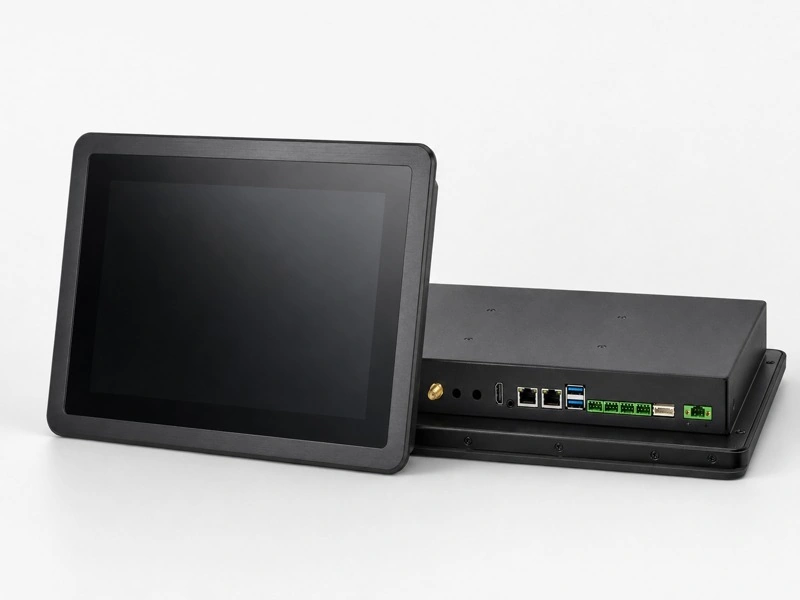
Product appearance and port layout vary with the selected configuration.
Android Panel PC Configuration Options
Display, system, interface and installation specifications for the available product range.
| Category | Parameter | Available configuration |
|---|---|---|
| System | CPU | Rockchip RK3566; RK3568 / RK3576 / RK3588 optional |
| RAM | 2 GB; 4 GB / 8 GB optional | |
| Operating system | Android / Linux; version and build depend on the selected platform | |
| Display | Screen size | 10.1″ / 10.4″ / 12.1″ / 13.3″ / 15″ / 15.6″ / 17″ / 18.5″ / 19″ / 21.5″ / 23.8″ / 27″ / 32″ |
| Resolution | 1024 × 768 / 1280 × 800 / 1280 × 1024 / 1920 × 1080; depending on the selected display | |
| Touch | Touch technology | Capacitive touch screen |
| Storage | Storage capacity | 16 GB; 32 GB / 64 GB / 128 GB optional |
| I/O | HDMI | 1 × HDMI |
| USB | 4 × USB (optional) | |
| RS232 | 2 × RS232 (optional) | |
| RS485 | 2 × RS485 (optional) | |
| LAN | 1 × RJ45 Ethernet port | |
| Mechanical | Installation | Embedded installation / VESA mount |
| Power | Power supply | 12 V DC; 4 A / 5 A power supply, depending on configuration |
| Environment | Operating temperature | 0°C to +50°C, Wide-temperature configurations available by project |
| Storage temperature | −20°C to +60°C |
Configuration note: This table covers the available range, not a single model. Screen size, resolution, processor, Android build and port options depend on the selected configuration. Optional features are not included in every unit.
Need the dimensions and port layout for your enclosure? Tell us the screen size and configuration you need.
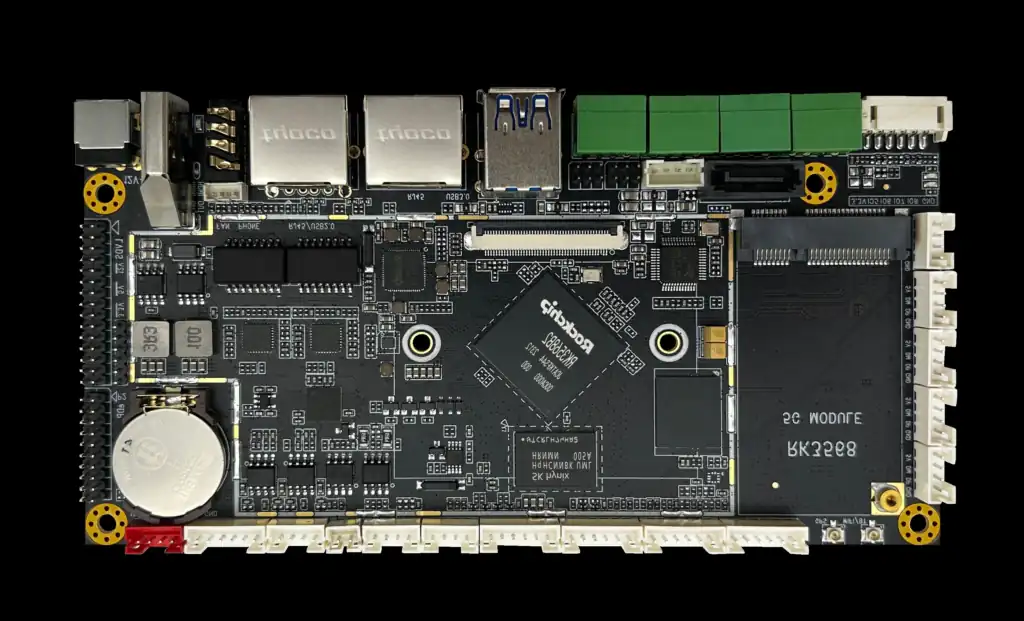
Android Software & Peripheral Connections
USB, Ethernet & Serial Connections
Connect the terminal to your network and peripherals through the specified ports. USB, RS232 and RS485 options support different equipment requirements; device drivers and communication protocols must also match your application.
Application Startup & Kiosk Settings
App launch at power-on, screen orientation and restricted user access can be discussed for the selected Android build. Include these settings in the sample specification so your team can test the complete operating sequence.
Hardware & System Support
We supply the hardware and agreed Android system support. Your team or software partner develops and maintains the application. Send the peripheral models and any driver or SDK requirements with your enquiry.
Adapt the Panel PC to Your Equipment
Customize the display, touch and mechanical details around the way your product will be used.
Display & Cover Glass
Specify the brightness, cover-glass design and viewing conditions. Optical bonding and AG / AR / AF surface treatments can be selected to suit the display and installation.
Capacitive Touch
Touch tuning and cover-glass design can be adapted to the installation. Where gloves or surface moisture are expected, test with the actual gloves and operating conditions.
Embedded & VESA Mounting
Embedded installation fits the terminal into an equipment panel; VESA mounting attaches it to a compatible support. Specify the cutout or VESA pattern, available depth and bracket requirements.
Interface Layout & Enclosure
Port selection, connector positions and enclosure adaptations can be assessed against your drawing. Allow space for cable bends, connectors and maintenance access after installation.
Android Touch Terminals for Machines & Self-Service
Suitable applications use Android software for the operator or customer interface. Software compatibility determines the final platform choice.
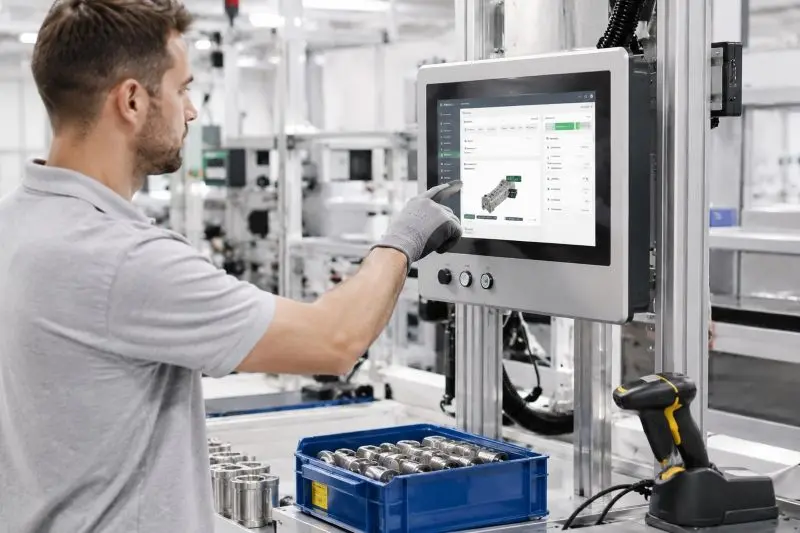
Machine HMI & Factory Terminals
For Android-based operator screens, work instructions, production data entry and status dashboards. Choose the screen around the operator’s viewing distance and the interfaces around the connected equipment.
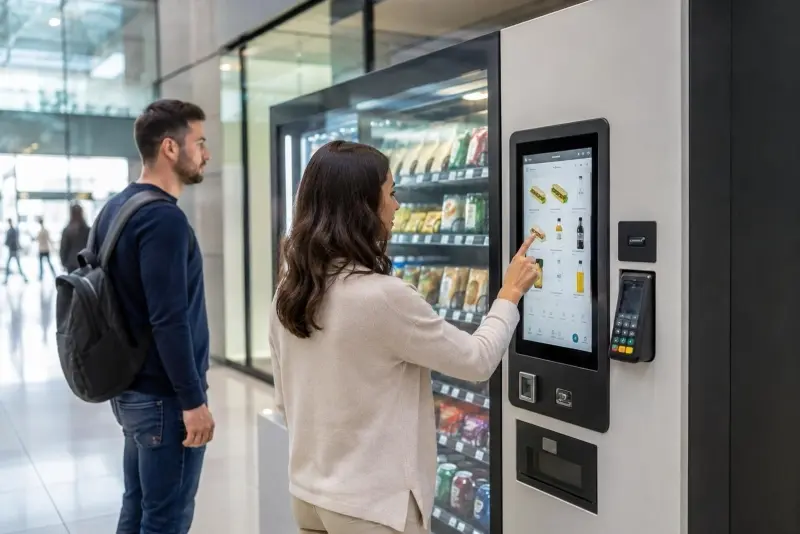
Kiosks, Vending & Smart Cabinets
For dedicated Android interfaces used to select products, enter information or access a service. Peripherals such as scanners, printers and readers need testing with the terminal and the customer’s application.
Samples, Pricing & Repeat Orders
For OEM equipment manufacturers and system integrators. Start with the requirements you already have.
A Quote for Your Configuration
Send your screen size, application, CPU / RAM / storage needs, required ports and quantity. Add an enclosure drawing if the terminal must fit an existing design. Pricing, sample availability, MOQ and lead time are quoted for that specification.
A Sample to Test in Your Equipment
Use the sample to check mechanical fit, touch response, application operation, peripherals and restart behavior. Request the configuration sheet and mounting drawing for your purchasing and engineering records.
A Reference for Repeat Orders
The approved hardware, Android image and mechanical revision form the production reference. Agree on change notification and replacement needs before the first production order. Include any required inspection records or market-specific compliance documents in the enquiry.
Android Panel PC Questions
Let’s Discuss Your Requirements
Share your application, requirements, or current challenge. Our team will review the details and recommend a practical way forward.