Industrial Rugged Tablet OEM/ODM for Field, Vehicle & Outdoor Applications
Configurable rugged tablet platforms for projects requiring IP-rated protection, drop and vibration resistance, sunlight readability, glove/wet touch operation, stable OS images, and long-term BOM control.
Not ideal for: retail price-only requests, consumer refresh cycles, or projects without deployment constraints.
We help you choose and configure the right rugged tablet for your project
Every rugged tablet project is different. Some need better sealing, some need stronger vibration resistance, and some simply need a stable device that can be supplied for several years.
Eagle Touch works with OEMs, system integrators, and industrial project teams to match rugged tablet hardware with real working conditions — such as outdoor use, vehicle mounting, field service, warehouse handling, wet touch, glove operation, external power, and long-term maintenance.
We do not just offer a fixed model and ask you to adapt your project around it. We first understand your environment, installation method, interface needs, operating system requirements, and expected project lifecycle, then suggest a practical configuration direction.
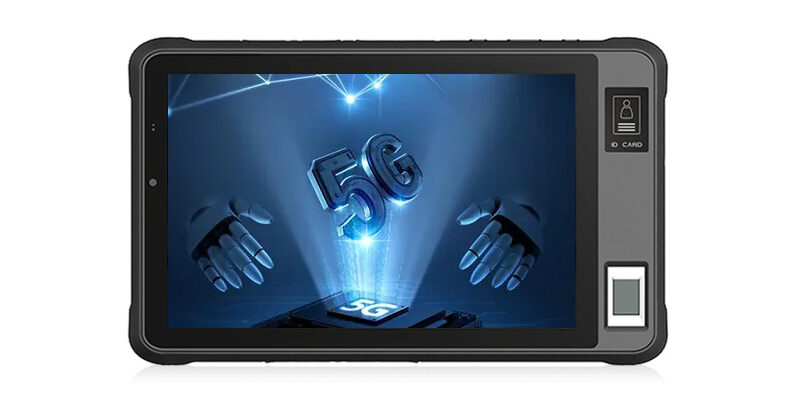
We start with where and how the tablet will be used
Before recommending a configuration, we look at the environment, mounting method, power supply, touch use, interface layout, software control, and service plan.
What we configure for OEMs, system integrators, and project buyers
We do not treat rugged tablets as one fixed retail model. We help project teams match protection, installation, usability, system setup, and long-term supply needs to real working conditions.
- IP65 / IP67 / IP68 direction based on real exposure
- Dust, water, rain, moisture, and condensation considerations
- Sunlight readability for outdoor or vehicle use
- Touch use with gloves, wet hands, or field contamination
Best for field service, outdoor inspection, utilities, logistics, and harsh site applications.
- Handheld, vehicle-mounted, or fixed installation use
- Drop, shock, vibration, and docking stress review
- Mounting method, cable routing, and connector layout
- External power, charging, and vehicle power requirements
Best for system integrators, vehicle systems, automation projects, and equipment manufacturers.
- Android or other OS image setup based on project needs
- Interface and accessory configuration for integration
- Stable BOM planning for repeat orders and future batches
- Change control, service access, and replacement planning
Best for OEMs, project buyers, and teams planning repeat orders or multi-year deployments.
Typical rugged tablet configuration options
Final specifications depend on your project requirements, but these are the common areas we review when preparing a rugged tablet configuration.
| Screen Size | Project-based options such as compact handheld sizes, 10.1-inch class tablets, or larger display requirements. |
|---|---|
| Operating System | Android or other OS options based on application software, driver support, and lifecycle requirements. |
| Display & Touch | Sunlight readability, brightness planning, glove touch, wet touch, and false-touch control. |
| Protection Level | IP65 / IP67 / IP68 direction selected according to rain, dust, wash-down, cable routing, and service needs. |
| Mounting & Docking | Handheld use, vehicle mounting, docking station, fixed installation, charging, and external power planning. |
| Interfaces | USB, LAN, serial, GPIO, CAN, docking contacts, accessory ports, or other project-specific interface needs. |
| System Control | OS image consistency, app/service control, boot behavior, recovery mode, and repeat-order configuration stability. |
| Supply Planning | Sample review, batch production, repeat orders, BOM stability, change control, and long-term replacement planning. |
Rugged tablets should be selected by real working conditions
Water, dust, drops, vibration, heat, screen readability, touch behavior, ports, and long-term supply all affect the final configuration. We review them together before suggesting a rugged tablet direction.
Higher IP rating is not always the better choice
- IP65, IP67, and IP68 should be chosen based on real exposure
- Stronger sealing may affect heat dissipation, connector access, and service work
- We consider rain, dust, wash-down, cable routing, and maintenance needs together
Handheld use and vehicle use are not the same
- A tablet dropped by a worker faces different stress from a tablet fixed on a vehicle
- Mounting, docking, chassis strength, and vibration source all affect reliability
- We match the rugged direction to the real use scenario, not just a rugged label
A sealed device still needs to stay stable
- High brightness, sealed housing, and long operating hours increase thermal load
- Processor choice should match the real workload, not only benchmark numbers
- We consider worst-case use to reduce overheating and performance drop in the field
If workers cannot read or touch it, it fails
- Outdoor readability depends on brightness, glass, reflection, and viewing angle
- Glove touch and wet touch need proper tuning to reduce false touches
- We consider how the tablet will actually be used on site, not only the screen specs
More ports can also mean more risk
- Each connector can affect sealing, cable stress, and service reliability
- Interface layout should match mounting, docking, charging, and cable routing
- We help balance integration needs with protection and maintenance access
A rugged tablet should stay consistent after the first batch
- Project buyers often need the same configuration across repeat orders
- Stable BOM, OS image control, and change notification reduce field surprises
- We support planning for replacement, service, and future production batches
Keep the rugged tablet system stable across batches and field use
For industrial projects, the operating system should stay predictable. The same project should not behave differently from one batch to the next.
Android or other OS options are not just features on a datasheet. For project use, the system needs to be stable, repeatable, and easy to maintain in the field.
- OS version selected based on project needs, driver support, and validation workload
- Consistent system image for repeat orders and future production batches
- Optional control of apps, services, boot behavior, recovery mode, and device settings
- Support for project-specific interface, accessory, and power behavior requirements
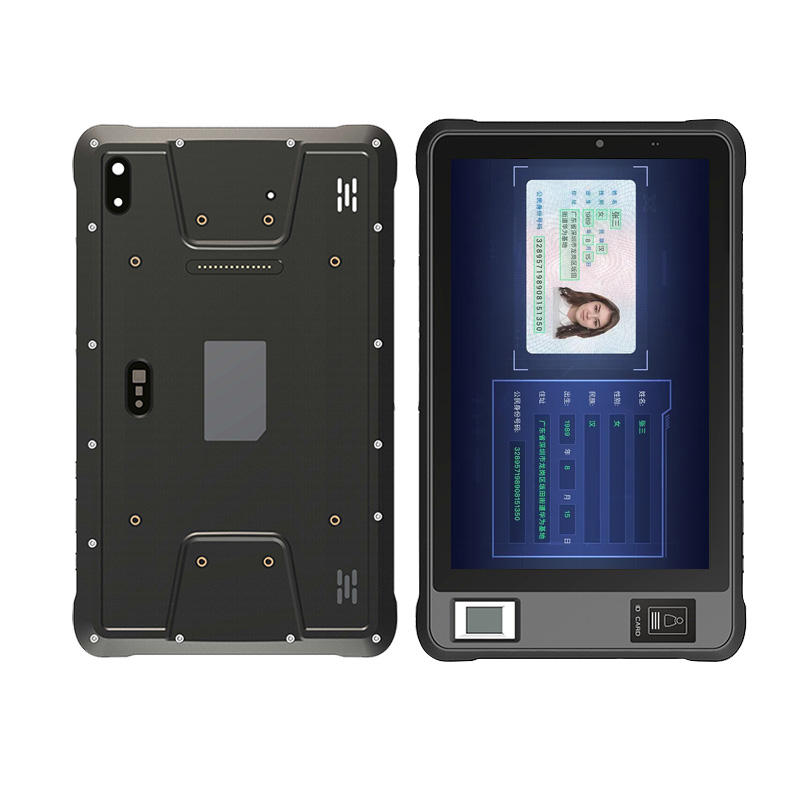
Support for OEM/ODM orders from sample to repeat supply
A rugged tablet project is not finished when the first sample works. We help customers plan configuration, validation, production, and future supply with fewer surprises.
Configuration for project needs
Support for display, touch, interfaces, power, mounting, accessories, system image, and project-specific requirements.
Check before batch production
We help review key risks before sampling, including protection, usability, mounting, power, interface layout, and system behavior.
For target market requirements
Project-based support for documentation and compliance discussion such as CE, FCC, RoHS, REACH, or other market needs.
For repeat orders and service
Stable BOM direction, configuration consistency, change notification, replacement planning, and future batch support.
Common rugged tablet applications we support
Different applications create different risks. We help match the rugged tablet configuration to how and where the device will actually be used.
Warehouse and mobile handling
For barcode scanning, warehouse operation, inventory checks, forklift use, and mobile data collection.
Outdoor inspection and data capture
For site inspection, maintenance work, asset checks, outdoor reporting, and mobile field operation.
Vehicle-mounted terminals
For trucks, forklifts, service vehicles, fleet systems, mobile workstations, and in-vehicle control.
Outdoor maintenance and long-duty use
For power, water, telecom, renewable energy, inspection, maintenance, and remote site operation.
Reliable mobile operation in demanding environments
For emergency response, field reporting, inspection, patrol, and other mobile teams that need stable device behavior.
Tell us how the rugged tablet will be used
You do not need to prepare a complete specification. Share what you know about the application, environment, installation, and quantity — we will help you narrow down the right configuration.
1. Where will it be used?
Indoor, outdoor, vehicle, warehouse, field service, inspection, or equipment control.
2. What conditions will it face?
Dust, rain, moisture, sunlight, vibration, drops, gloves, wet touch, heat, or cold.
3. How will it be installed or powered?
Handheld use, vehicle mount, docking station, external power, charging method, or special interfaces.
4. What is your project plan?
Sample needs, target quantity, timeline, repeat orders, and long-term supply requirements.
Configuration direction
We suggest the rugged tablet direction based on your environment, mounting, power, screen, touch, and interface needs.
Risk and trade-off review
We point out possible issues such as over-sealing, heat load, vibration stress, touch problems, or unnecessary over-specification.
Sampling and supply planning
We help clarify sample feasibility, customization needs, estimated lead time, repeat supply, and long-term configuration stability.
Common questions before choosing a rugged tablet
These answers help you avoid choosing a rugged tablet only by labels like “IP68”, “shockproof”, or “high brightness”.
Let’s Discuss Your Requirements
Share your application, requirements, or current challenge. Our team will review the details and recommend a practical way forward.