Industrial Display Black Screen: 7 Causes, Fast Fix & How to Solve It Without Replacement
Quick Answer An industrial display black screen is typically caused by: Power supply instability LED backlight …
The sample looked fine.
The image was clean.
The touch worked.
The customer approved it.
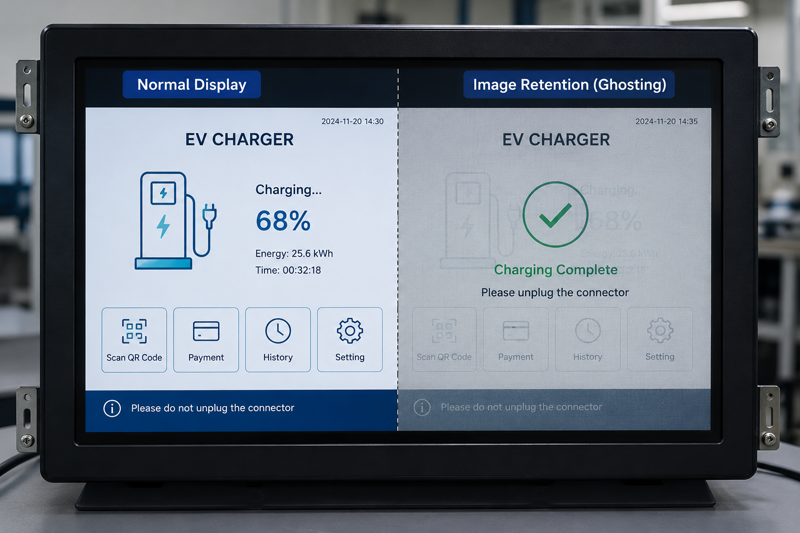
Then, after several days of real operation, a faint QR code, logo, menu, or button outline stayed on the screen.
That is usually when the uncomfortable question comes:
Is the LCD panel defective?
Not always.
In many industrial touch monitor projects, this issue is TFT LCD image retention, also called image sticking or LCD ghosting. It often appears when the same interface stays on screen for a long time, especially with high brightness, heat, and continuous operation.
A short sample test may not show it.
The real test begins when the screen runs the real software, at real brightness, inside the real enclosure, for real working hours.
So the right question is not only:
Is this LCD panel good?
The better question is:
Can the complete display system handle the same UI under real heat, brightness, and working time?
That is where the risk should be judged.
TFT LCD image retention is a faint previous image that remains visible after the screen content changes.
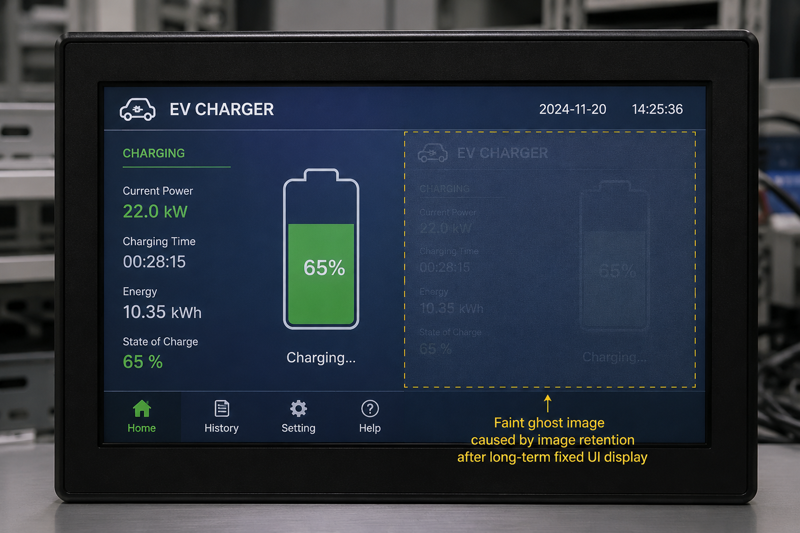
It usually comes from static content staying on the display too long. In industrial applications, that static content is often part of the product interface:
Sometimes the ghost image fades after the screen shows moving content or powers off for a while. Sometimes recovery becomes slower when the same static UI appears every day under heat, high brightness, and long working time.
So the answer should be practical:
TFT LCD image retention is not always permanent burn-in, and it does not always mean the LCD panel is defective. But it can happen when static content, heat, brightness, and long operation work together.
For industrial monitors and panel PCs, that condition is common enough to check before production.
Office monitors rarely stay on one screen all day.
Industrial displays often do.
An EV charger may keep the same QR code and charging status on screen for hours.
A kiosk may stay on the same idle page.
A panel PC may run one HMI screen for an entire shift.
A sunlight-readable display may work at high brightness inside a warm outdoor housing.
That is where image retention becomes easier to notice.
The risk increases when:
This is why a quick sample check can be misleading.
A short test may prove the screen can display normally.
It may not prove the complete product can run the same UI for days inside the final enclosure.
For image retention, time is part of the test.
A TFT LCD panel may pass panel-level testing.
That does not guarantee the complete monitor will never show image retention.
Once the LCD is built into a product, it works with the driver board, backlight, touch structure, power design, enclosure, software UI, and sometimes a full Android or Windows motherboard.
A panel that behaves normally in one system may behave differently in another.
This matters when:
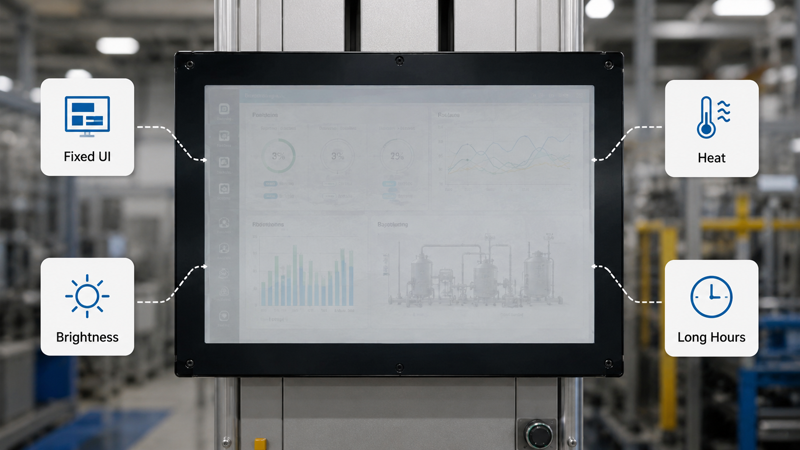
An open frame touch monitor may look stable on a test bench. After it is installed inside the customer’s machine, airflow changes. Heat may build up behind the LCD. The same interface may stay active all day.
The result can change.
The same logic applies to industrial panel PCs and Android panel PCs. The LCD is not the only heat source. The board, enclosure, software, and working mode all affect the final display behavior.
That is the point many projects miss:
Image retention is not only about which LCD you choose. It is about how the whole display is driven, installed, cooled, tested, and used.
Image retention is often not an instant problem.
It is a time problem.
During sample approval, the monitor is usually tested for a short period. The environment is open. The temperature is mild. The screen may show test images instead of the customer’s real software. The product may not be inside the final enclosure yet.
But the field condition is different.
The real UI may stay fixed.
The real brightness may be higher.
The real housing may hold more heat.
The real machine may run all day.
That is why ghosting may appear during aging or long continuous operation, not during a quick power-on test.
For many projects, 24–72 hours of continuous aging can be a practical starting point. If the final product works 24/7, uses high brightness, or keeps a fixed UI for long periods, a longer application-specific aging test may be better.
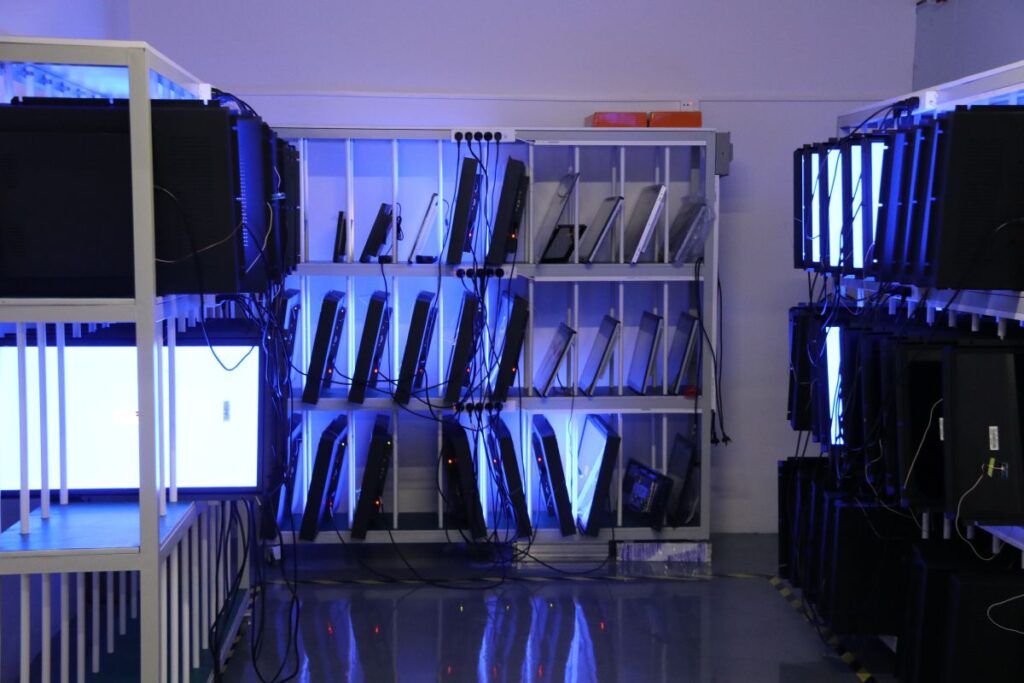
The number itself is not the main point.
Test the screen the way it will actually be used.
Not every ghost image means the same level of risk.
If the image fades after moving content or power-off recovery, it is usually closer to temporary image retention.
If it appears again whenever the same UI runs for several hours, the application condition needs review.
If recovery becomes slower under high brightness or heat, check thermal design, brightness setting, and UI behavior.
If the ghost image remains clearly visible after a long recovery period, review the LCD panel, driver board, Vcom, timing, backlight setting, and enclosure temperature together.
Do not judge only from one photo.
Check when the ghost image appears.
Check how fast it fades.
Check whether it repeats.
Check whether heat or brightness makes it worse.
That tells more than a screenshot.
The best time to reduce image retention risk is before mass production.
After field installation, every correction becomes expensive. Software changes take time. Lower brightness may affect outdoor readability. Thermal redesign may affect structure. Hardware replacement may delay the project.
The practical approach is simple:
Find the risk during sample aging, then optimize before batch production.
Do not only test color bars.
If the final product will show a fixed logo, QR code, menu, button area, dashboard, or HMI page, include that real UI in the aging test.
A useful test should check:
If the ghost image appears quickly or recovers slowly, the project should be reviewed before production.
The LCD panel and driver board must be matched correctly.
Timing, voltage, Vcom, and backlight control can affect display behavior. A panel may work well with one board but behave differently with another.
For customized industrial touch monitors, Android panel PCs, and open frame monitor projects, hardware compatibility should be checked early.
This is not a small detail.
It can decide whether the product stays stable after long operation.
High brightness may be necessary for outdoor kiosks, EV chargers, and sunlight-readable monitors.
But brightness brings heat.
And heat makes image retention more likely.
The important temperature is not only room temperature. It is the temperature inside the enclosure, near the LCD, backlight, and motherboard.
Before production, review:
A display that works well on a desk may behave differently inside a sealed outdoor machine.
If the software allows it, avoid keeping the same elements in the same position all day.
Small changes can help:
For many industrial devices, the idle screen is the real risk.
The product may spend more time waiting than operating.
Eagle Touch does not review image retention only at the LCD panel level.
For complete industrial touch monitor and panel PC projects, we review the full product condition: LCD panel, driver board, backlight, touch structure, housing, motherboard heat, software UI, and working environment.
Before shipment, Eagle Touch performs 48-hour full product aging tests for complete display products.
This 48-hour aging test helps screen out common risks. It is not a promise that every possible image retention risk can be found under every working condition. For high-brightness, sealed, 24/7, or fixed-UI applications, the aging profile should be reviewed according to the real operating condition.
Useful project details include:
These details help review the display as one complete system, not only as one LCD panel.
That is how risk is reduced before production, instead of argued about after installation.
A ghost image usually appears when the same UI stays on the screen too long. Fixed logos, QR codes, menus, buttons, and status areas are common causes. Heat, high brightness, continuous operation, and driver board matching can make it more noticeable.
Not always. It may be related to the LCD panel, but it can also come from driver board matching, Vcom or timing, backlight brightness, internal heat, enclosure design, software UI, and long working time. It should be reviewed before calling it a panel defect.
Sometimes, but not always. If the issue comes from panel characteristics, another LCD may help. If the cause is fixed UI, high brightness, heat, driver board matching, or enclosure design, changing only the panel may not solve it.
For many projects, 24–72 hours of continuous aging can be a practical starting point. If the display runs 24/7, uses high brightness, or keeps a fixed UI for long periods, a longer application-specific aging test may be better.
Share the real UI screenshot, daily working hours, brightness target, indoor or outdoor use, working temperature range, enclosure design, ventilation condition, fixed UI areas, and whether screen saver, dimming, or sleep mode is allowed. These details help review image retention risk at the full product level.
TFT LCD image retention is not always a simple LCD defect.
In industrial touch monitors, panel PCs, Android panel PCs, open frame monitors, kiosks, and EV charger displays, it is often a complete system issue: fixed UI, high brightness, heat, driver board matching, enclosure design, and long working hours.
The safest way to handle it is to test early, test with the real UI, age the complete product long enough, and optimize before mass production.
If your industrial touch monitor uses a fixed UI, high brightness, sealed enclosure, or 24/7 operation, share your UI screenshot, brightness target, enclosure design, and working conditions with Eagle Touch before mass production. We can help review the image retention risk at the full product level.
For industrial display projects, prevention is cheaper than field correction.
Quick Answer An industrial display black screen is typically caused by: Power supply instability LED backlight …
Introduction Industrial display flickering often appears unexpectedly in real deployments such as EV charging stations, factory …
Introduction Outdoor displays are designed for harsh environments, but outdoor industrial display overheating remains one of …

Introduction In OEM system design, touchscreen integration failures are often caused by incorrect assumptions about iOS …
Send your size, brightness, touch type, interface, mounting method, environment, and target quantity — early-stage projects are welcome.