Vandal-Resistant PCAP Touch Panels for Public & Industrial Systems
IK10-oriented touch modules for kiosks, outdoor terminals, and industrial HMIs—built to reduce breakage and downtime in real deployments. Final impact performance is verified on the assembled enclosure/device.
Custom PCAP Touch Modules, with System-Level IK Target Support
We design and manufacture custom PCAP touch modules for public and industrial systems, and provide design input for enclosure-level IK targets (edge support, bonding, and validation planning).
- Project-based customization (size, cover glass, interface)
- Options for public/industrial use cases (thick glass, AG/AF, glove/wet tuning)
- Impact-risk mitigation input (edge support, bonding choice, test planning)
Not ready for drawings? See the minimum info to start → | Want the process? What happens after contact →
Is IK10 the right choice—or is a lower IK enough?
A quick check helps avoid over-spec cost or under-spec breakage.
Choose your path:
Layer A — New to IK / not sure yet
Layer B — Engineering evaluation
Layer C — RFQ-ready
Choose IK10 when
- Device is unattended (kiosk / terminal)
- Installed in high-traffic public areas
- Risk of intentional vandalism
- Downtime cost is higher than replacement cost
A lower IK may work when
- Device is supervised or controlled access
- Main risk is accidental impact, not vandalism
- Front is protected by bezel / recessed design
- Maintenance access is easy and low cost
What IK10 is NOT
- Not a scratch rating (different test)
- Not “glass thickness only”
- Not guaranteed by the panel alone
- Not a replacement for enclosure support
What does IK10 mean for touch screens?
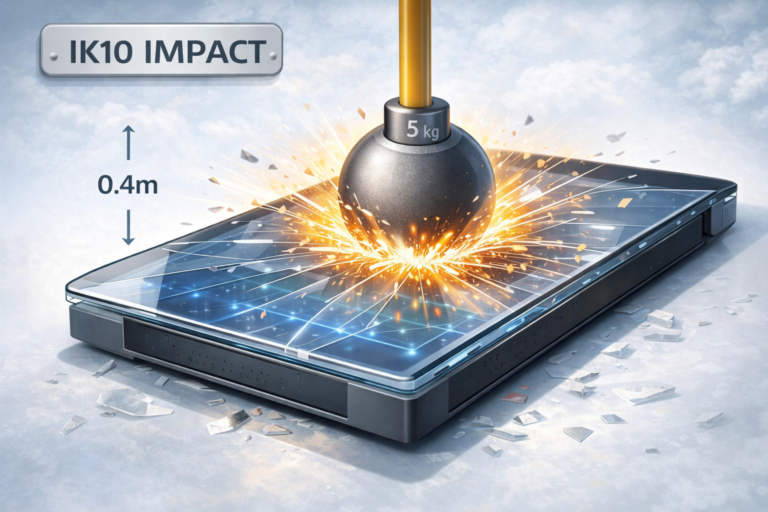
IK10 defines a 20-joule impact test level (IEC/EN 62262). For touch systems, the rating must be verified on the assembled enclosure/device, not by glass thickness alone.
- Standard: IEC / EN 62262 (IK impact rating)
- IK10 level: 20 J (impact energy)
- Applies to: assembled enclosure/device test method
- Not: scratch / hardness rating
Does IK10 mean thicker glass?
Not directly. Thickness can be part of a solution, but real impact results are dominated by how the glass is supported, bonded, and installed within the enclosure.
Common reasons “thick glass” still fails
- Weak edge support / bezel geometry
- Improper bonding or stress from assembly
- Enclosure flex causing secondary stress
- Edge strike scenarios not addressed
If you’re early-stage: you don’t need to decide thickness now. Start with your enclosure concept and impact scenario.
What happens after you contact us
A short engineering exchange first—no commitment, no “perfect spec” required.
1) Clarify your risk
- Accidental vs intentional impact
- Installation access & downtime tolerance
- Target size / usage environment
2) Review system mechanics
- Edge support / bezel structure
- Bonding preference (air gap vs optical)
- Sealing / gasket constraints
3) Recommend next step
- Suggested IK target (IK10 or lower if appropriate)
- Configuration starting point (project-dependent)
- Sample / validation plan if needed
If you only have a photo of the enclosure or a rough drawing, that’s enough to start.
Core Engineering Principle: IK is a system result
Many “glass failures” are system failures—edge support, bonding, enclosure rigidity, and installation constraints decide the outcome.
Key factors that change real-world impact performance
- Cover glass type & tempering method
- Edge support / clamping design (critical for edge strikes)
- Bonding method (air gap vs optical bonding)
- Enclosure rigidity and back support
- Impact location (center vs edge) and striker geometry
- Installation constraints (gasket compression, fastener torque, flatness)
Minimum info to start (enough for an initial RFQ)
- Enclosure type (kiosk / panel-mount / open-frame)
- Front bezel / edge support concept (photo or sketch OK)
- Primary risk: accidental vs intentional
- Approximate size range and environment (indoor/outdoor)
- Any sealing/bonding constraints (if known)
Reference note: Final IK rating is validated at the assembled device level per the applicable test method.
IK Rating Reference (Optional, Collapsed)
The IK standard defines impact energy. Use this as an early-stage reference only.
Open IK reference table (impact energy)
| IK Code | Impact Energy (Joules) | Practical Description* |
|---|---|---|
| IK00 | 0 | No impact protection |
| IK01 | 0.14 | Very light mechanical impact |
| IK02 | 0.20 | Very light mechanical impact |
| IK03 | 0.35 | Light mechanical impact |
| IK04 | 0.50 | Light mechanical impact |
| IK05 | 0.70 | Moderate mechanical impact |
| IK06 | 1.00 | Moderate mechanical impact |
| IK07 | 2.00 | Increased mechanical impact |
| IK08 | 5.00 | Heavy mechanical impact |
| IK09 | 10.00 | Very heavy mechanical impact |
| IK10 | 20.00 | Severe mechanical impact / vandal resistance |
* Note: Descriptions are simplified for practical understanding.
Engineering notice: IK compliance is not defined by thickness. Refer to the Core Engineering Principle for the system factors that decide real-world results.
Eagle Touch IK10-Oriented Capability Range
Touch module configurations balancing impact resistance, optical performance, and stable touch behavior.
Core configuration (typical)
- Custom sizes: 10.1" to 65"
- Surface options: Anti-Glare (AG) / Anti-Fingerprint (AF)
- Operating temperature: -20°C to +70°C (project-dependent)
- Touch: PCAP multi-touch
- Interface/controller: mainstream options (project-dependent)
Optional engineering enhancements
- Optical bonding / full lamination
- Outdoor UV-resistant printing
- EMI / ESD design support
- Glove & wet-touch tuning (project-dependent)
For accurate guidance, share enclosure structure, mounting method, impact scenario, and any sealing/bonding constraints.
Video is optional—engineering can advise from a photo/sketch and a few inputs.
Ready for an Engineering Review?
Share your application and key requirements for Touch Monitors or Panel PCs. Our engineers will review feasibility, risks, and recommend the right configuration direction.