Industrial LCD Backlight Technologies: How to Choose the Right Solution for Your Application
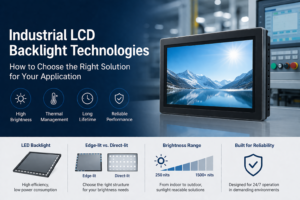
Introduction Industrial LCD backlight design directly determines display visibility, thermal performance, and long-term reliability. While LCD …
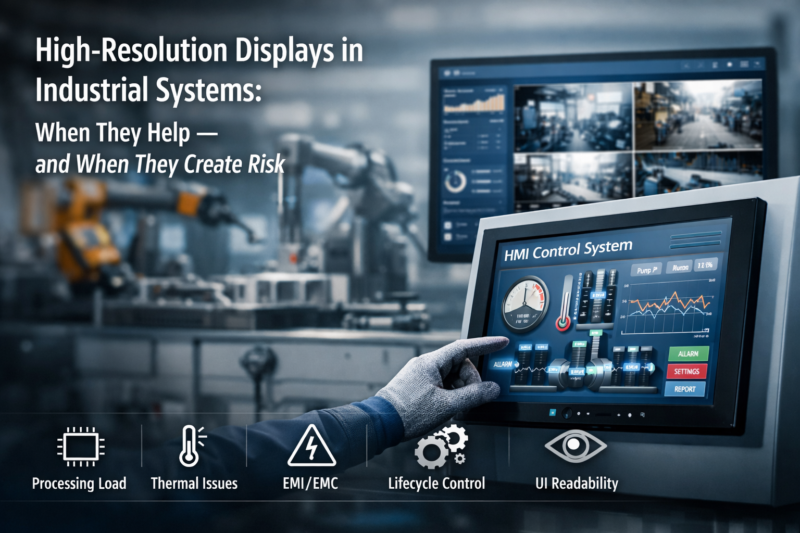
High-resolution industrial displays are increasingly used in modern equipment as HMI software evolves toward richer graphical interfaces, multi-window dashboards, and advanced data visualization.
At first glance, increasing resolution appears to be a simple upgrade. A higher pixel count allows more information to be displayed simultaneously, improving operator awareness.
However, in industrial systems, display resolution is not only a visual parameter. It directly impacts system-level design, including:
For OEM manufacturers and system integrators, high-resolution industrial displays must be evaluated as part of the overall system architecture, not as an isolated specification.For a broader overview of how displays are selected in real systems, including interface types, enclosure design, and mounting considerations, refer to our guide on industrial display monitors.
Display resolution defines the number of pixels available on a screen, typically expressed as:
Historically, industrial HMIs used moderate resolutions such as 800 × 600 or 1024 × 768, which were sufficient for basic control and monitoring tasks.
As HMI software complexity increases, higher resolutions are required to support:
Resolution has a direct impact on system resource requirements.
Compared to 1024 × 768, a 1920 × 1080 display increases pixel processing load by more than 2.6×. This affects:
In many embedded designs, memory bandwidth is the primary constraint, rather than CPU frequency.
Resolution must be matched to the physical display size:
The objective is to achieve a usable pixel density without excessive software scaling.
Industrial displays are typically viewed from 0.5 to 1.5 meters.
At these distances, usability is primarily influenced by:
Higher pixel density alone does not improve usability unless the HMI is designed accordingly.
Resolution should be selected based on functional requirements:
Higher resolutions increase load on:
Low-power ARM or entry-level x86 platforms may not sustain Full HD or higher resolutions without reduced performance or increased latency.
| Screen Size | Recommended Resolution | Typical Application |
|---|---|---|
| 7″–10″ | 1024×600 / 1280×800 | Compact HMI panels |
| 12″–15″ | 1024×768 / 1280×1024 | Standard control systems |
| 17″–21.5″ | 1280×1024 / 1920×1080 | Monitoring and dashboards |
| ≥21.5″ | 1920×1080 / 2K / 4K | Visualization and machine vision |
Matching resolution to screen size helps maintain readability while controlling system resource usage.
High-resolution industrial displays are suitable when:
Moderate resolution is often more appropriate when:
In many cases, 1024 × 768 or 1280 × 800 provides a stable and efficient configuration.
Selecting the appropriate resolution for industrial displays requires balancing:
For most industrial systems, a resolution aligned with hardware capability and application requirements delivers better long-term stability than simply increasing pixel count.
1. Does higher resolution always improve industrial HMI usability?
No. Without proper UI scaling, higher resolution can reduce readability, especially on smaller displays.
2. What limits performance when increasing resolution?
In most embedded systems, memory bandwidth is the primary limitation.
3. Is Full HD necessary for industrial applications?
Not always. Many systems operate efficiently at 1024 × 768 or 1280 × 800.
4. How does resolution affect thermal design?
Higher resolution increases GPU load and power consumption, raising thermal requirements.
5. When should resolution be defined in a project?
Early in system design, as it affects hardware selection, interface design, and thermal planning.
Introduction Industrial LCD backlight design directly determines display visibility, thermal performance, and long-term reliability. While LCD …
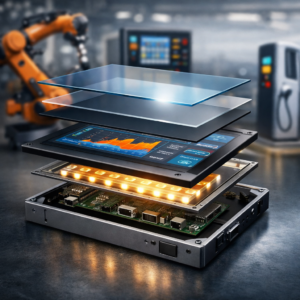
Introduction Industrial display structure directly affects system performance, reliability, and lifecycle cost in OEM equipment. Unlike …
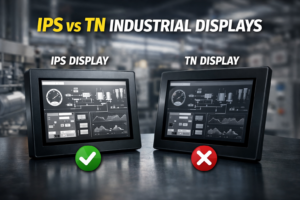
IPS vs TN — Which should you choose? Choose IPS for: multi-angle viewing, outdoor environments, touch-based …
Introduction Can a commercial LCD display be used in industrial equipment to reduce cost? This is …
Send your application details. We respond with configuration direction and next steps.